This is an old revision of the document!
Consultant Work Flow – Contract Temp Desks
- Enter Company AWR information. New vacancies will inherit this information.

- Extra fields can appear when entering a placement.
- A form will appear asking if the Temp has worked for another Agency in the same Role.
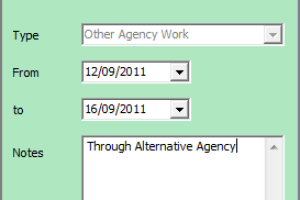
Use Cancel if there was NONE or, if you cannot ask and there might be then use Cancel With Reminder.
Entering information will mark that period as being included in the qualification and will count those dates as weeks worked.
- If the inherited company AWR state is blank or Not Known, a warning will appear and then the form aksing for AWR information for this role.

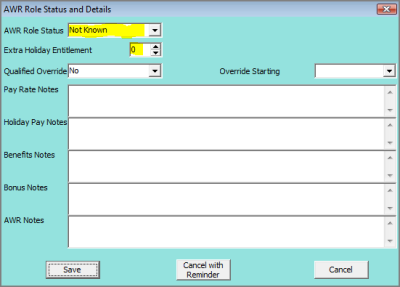
- An AWR Role record will be created in the Person form if applicable (Not needed if AWR state is Not Applicable) to monitor qualification.

- If a Temp notifies you of Holiday, Sickness, Jury Service or Maternity/Paternity Leave you MUST entere in IQX the relevant Holiday or Unavailability for the dates concerned as these are legally required to pause the AWR Qualification. A Holiday Pay timesheet will NOT be enough as could be in lieu of time away.


Holiday and Unavailability can be entered from:
- Temp Desk, Temps view - 'Unavailable' and 'On Holiday' buttons.
- Person, Availability view - 'Enter Holiday' and 'Enter Unavailability' buttons.

- Person, Diary view - yellow 'Add' button and drop down list.

