This is an old revision of the document!
IQX AI Gateway
The IQX AI Gateway is the single front door for every AI feature in IQX. Instead of each part of the product talking to an AI provider directly, everything — the IQXAssist chat your consultants use, the wiki help assistant, CV reformatting, photo and document reading, audio transcription — calls one internal service. That service picks a model, routes the request, retries elsewhere if something is down, meters the spend, logs the usage, and hands the answer back.
In short: it is an AI router and control plane. The clever bits (which model, failover, cost caps, encryption) live in one place, so every IQX feature behaves the same way and we can add or swap models without touching the apps.
At a glance
- EU-hosted, open-weight models behind it — nothing is sent to the big US AI vendors.
- One API key per tenant/client, with per-key capabilities and a monthly spend cap.
- Automatic failover — if a model or provider fails, the gateway transparently tries another.
- OpenAI-compatible — point any OpenAI SDK at
/v1and it just works. - Chat history stored in MongoDB in the UK, encrypted per message (AES-256-CBC), auto-deleted 30 days after last use.
—-
Two ways to use it
There are two surfaces on top of the same gateway:
| Surface | Who uses it | What it is |
|---|---|---|
| IQXAssist (chat) | Consultants, inside IQX | A stateful conversational assistant that can read IQX records and take actions (find shifts, check compliance, book, set availability) through controlled tools. |
| The HTTP API | IQX services & scripts | A set of stateless endpoints for one-shot jobs — summarise, rewrite a CV, read a photo or document, transcribe audio, or a raw OpenAI-compatible chat call. |
Both share the same keys, the same failover and the same spend caps.
—-
IQXAssist (the chat)
IQXAssist is the assistant your consultants talk to inside IQX. It always works in the context of the record on screen (e.g. the candidate they're looking at) and can call a small set of IQX tools to do real work — not just chat.
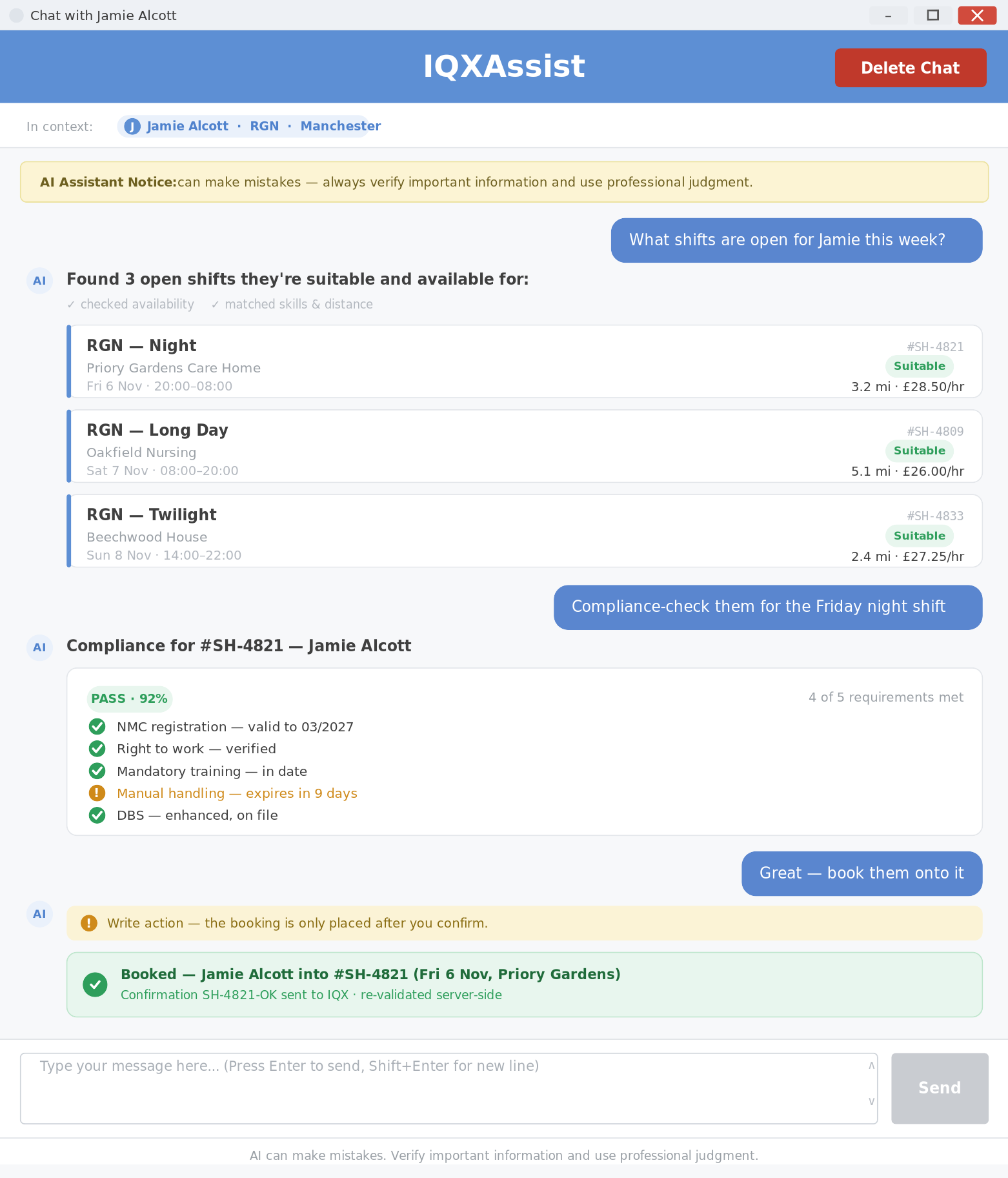
What it can do
The assistant has five tools. Read-only tools run freely; write tools (booking, availability) are only carried out after the consultant explicitly confirms, and are then re-validated on the server before anything is saved.
| Tool | Type | What it does |
|---|---|---|
| Candidate data | read | Pulls live IQX records for the candidate in context (timesheets, notes, placements…) over a date range. |
| Matching shifts | read | Finds open shifts the in-context candidate is suitable and available for. |
| Compliance check | read | Checks whether the candidate is compliant for one specific shift, with a pass/warning/fail breakdown and an overall % score. |
| Book shift | write | Books the candidate into a shift. Only ever after explicit confirmation; refused server-side if availability/compliance/booking rules fail. |
| Set availability | write | Records the candidate's availability (available / unavailable / holiday) over a date range, optionally by weekday or time window. |
Which tools a key can use is set per API key — a disabled tool is never even offered to the model.
—-
How it works
Every request — chat or API — flows through the same pipeline:
  IQX app / service
        │   Authorization: Bearer <key>.<user>
        ▼
  ┌──────────────── IQX AI Gateway ─────────────────┐
  │   auth  →  spend-cap check  →  pick model        │
  │            ┌───────────┴───────────┐             │
  │        model A                 model B           │   ← EU-hosted
  │            └──────► failover ◄──────┘            │
  │   log usage · meter cost · encrypt & store chat  │
  └─────────────────────┬────────────────────────────┘
                        ▼
                  response to caller
Models & failover
The gateway offers a range of EU-hosted, open-weight models — a fast general model (the default), a higher-capability model, a vision model for reading images, and an audio model for transcription. Which one serves a request is chosen by the gateway; callers never hard-code a model. If a model or provider fails, rate-limits or can't serve the request, the gateway transparently fails over to another so the caller still gets an answer. The specific models are managed centrally and can change without any change to the apps.
Spend caps
Each key has an optional monthly spend cap. The gateway meters cost on every call and hard-stops once the cap is reached (a cap of 0 means “unlimited”). This protects against runaway cost per client.
Storage, encryption & retention
- Chat history and usage logs live in MongoDB hosted in the UK.
- Chat message content is individually encrypted at rest (AES-256-CBC, unique salt + IV per message; the key is held by the server, outside the database).
- A chat session and all its messages are automatically deleted 30 days after the last interaction. Uploaded files (CVs, images, audio) are swept within ~1 hour. Usage logs keep metadata only (no message content).
- Model inference is transient — prompts are processed, not stored, by the model providers.
—-
What it can do — endpoint by endpoint
Every capability is one HTTP call. Authenticate with a Bearer key (Authorization: Bearer .<userId> — the optional .<userId> attributes usage to a person). Here's what each endpoint takes in and gives back.
===== Read a document — get JSON out =====
Send an image and a prompt. Ask a plain question and get an answer, or ask for the fields and they come back parsed in Response.json. Driving licences, passports, DBS certificates, timesheets, whiteboards — all fair game.
https://gateway.iqx.scot/v1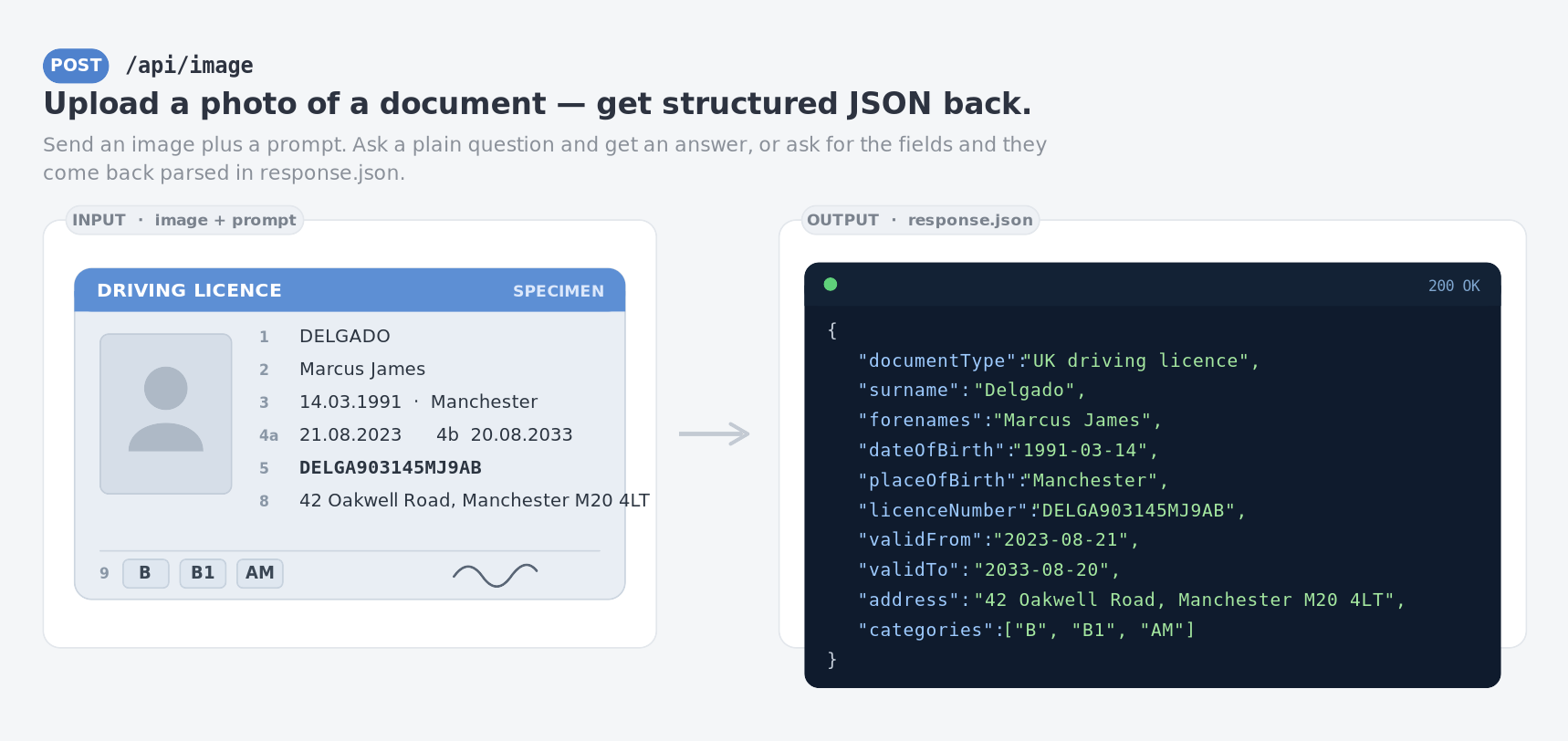 ===== Lift the photo off an ID =====
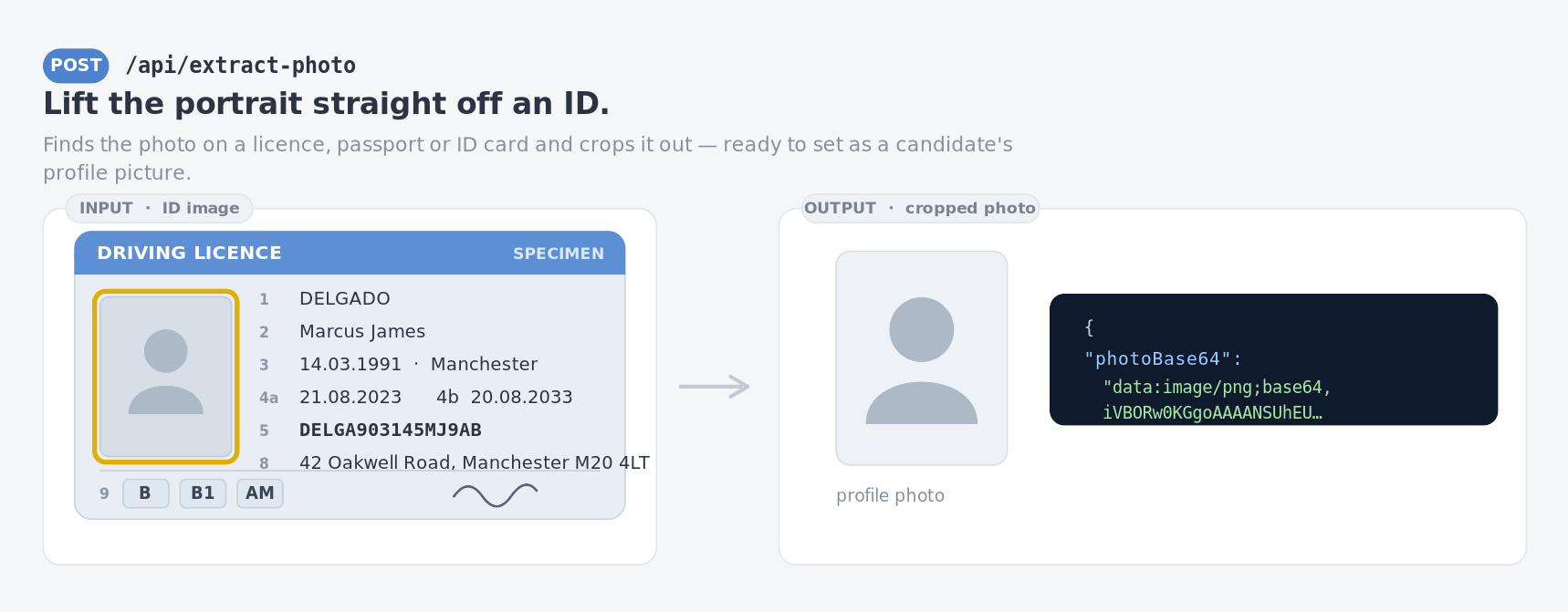
Finds the portrait on a licence, passport or ID card and crops it out — ready to set as a candidate's profile picture.
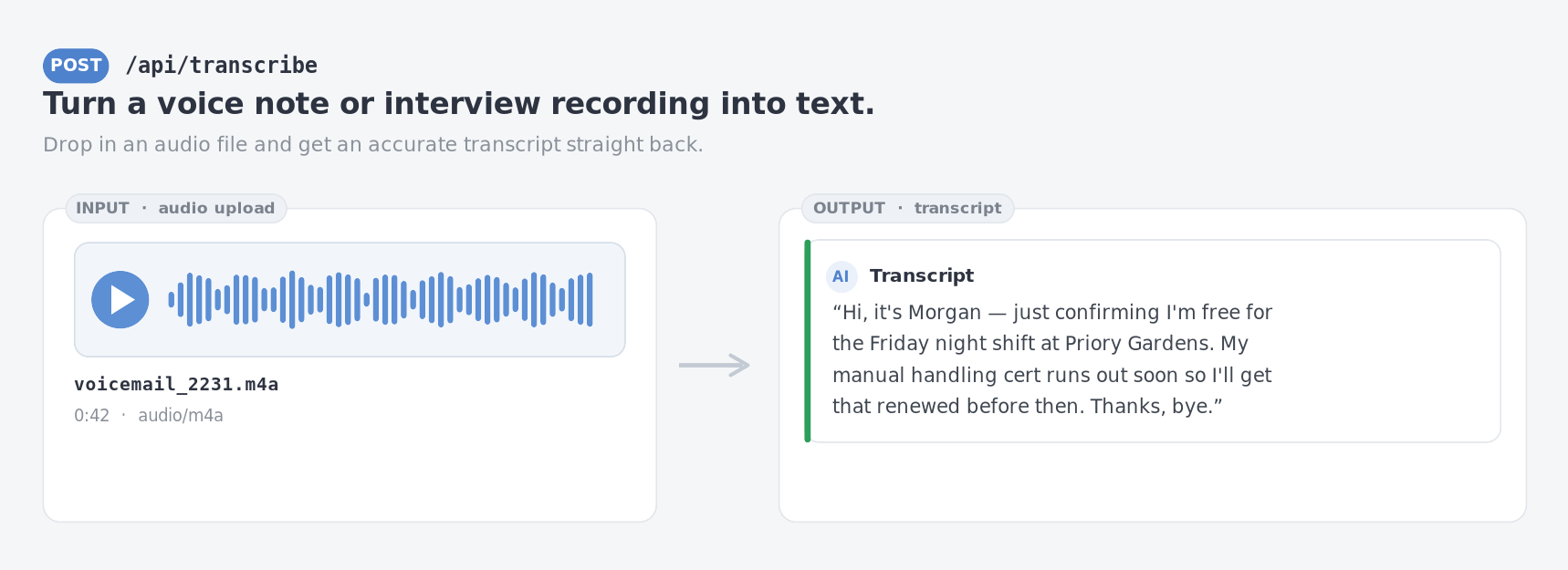
 ===== Transcribe audio =====
Drop in a voice note or interview recording and get an accurate transcript straight back.
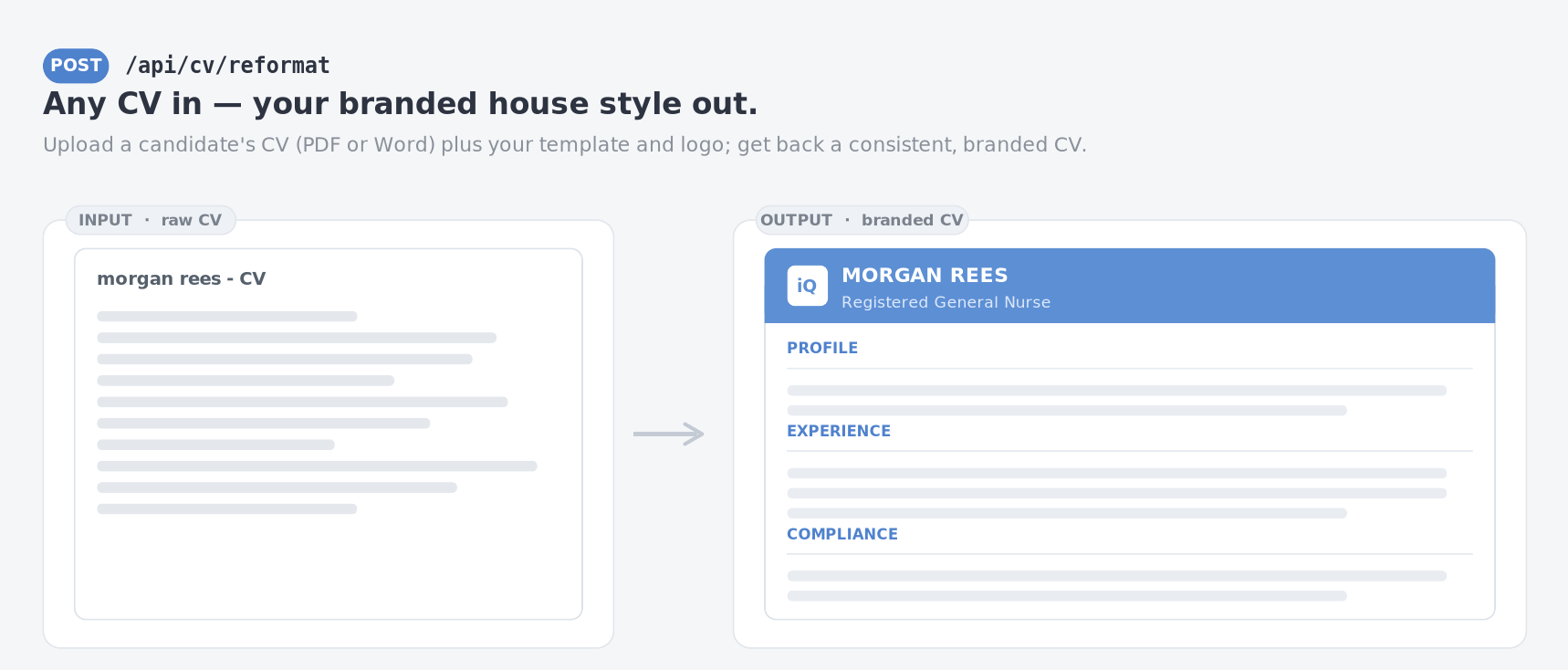
 ===== Reformat a CV to house style =====
Upload a candidate's CV (PDF or Word) plus your template and logo; get back a consistent, branded CV.
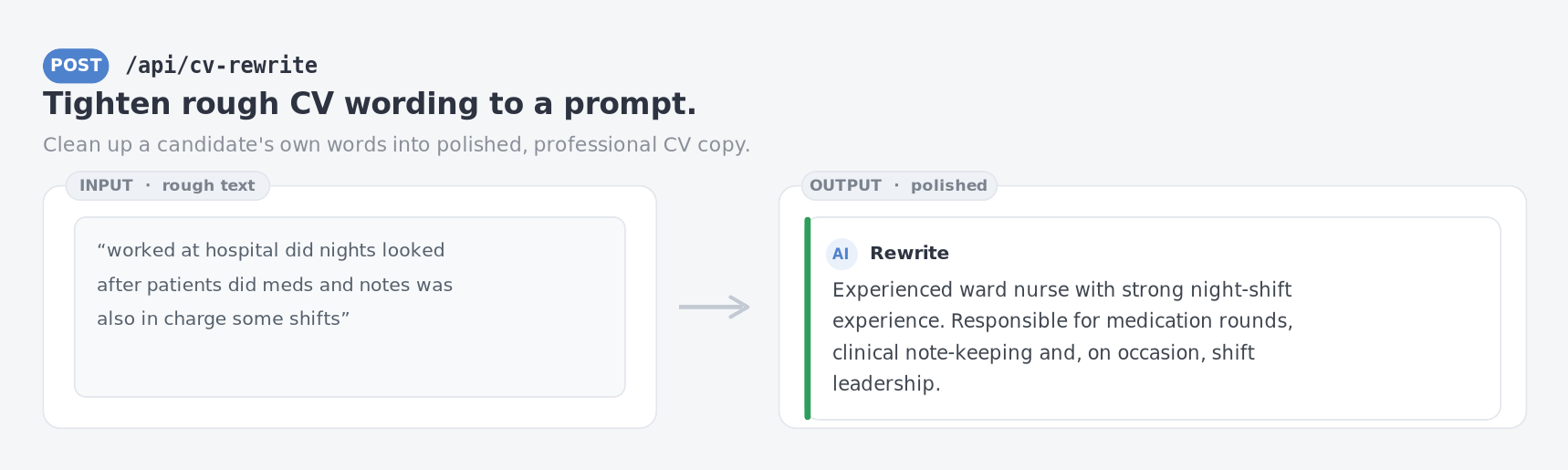
 ===== Tighten rough CV wording =====
Clean up a candidate's own words into polished, professional CV copy.
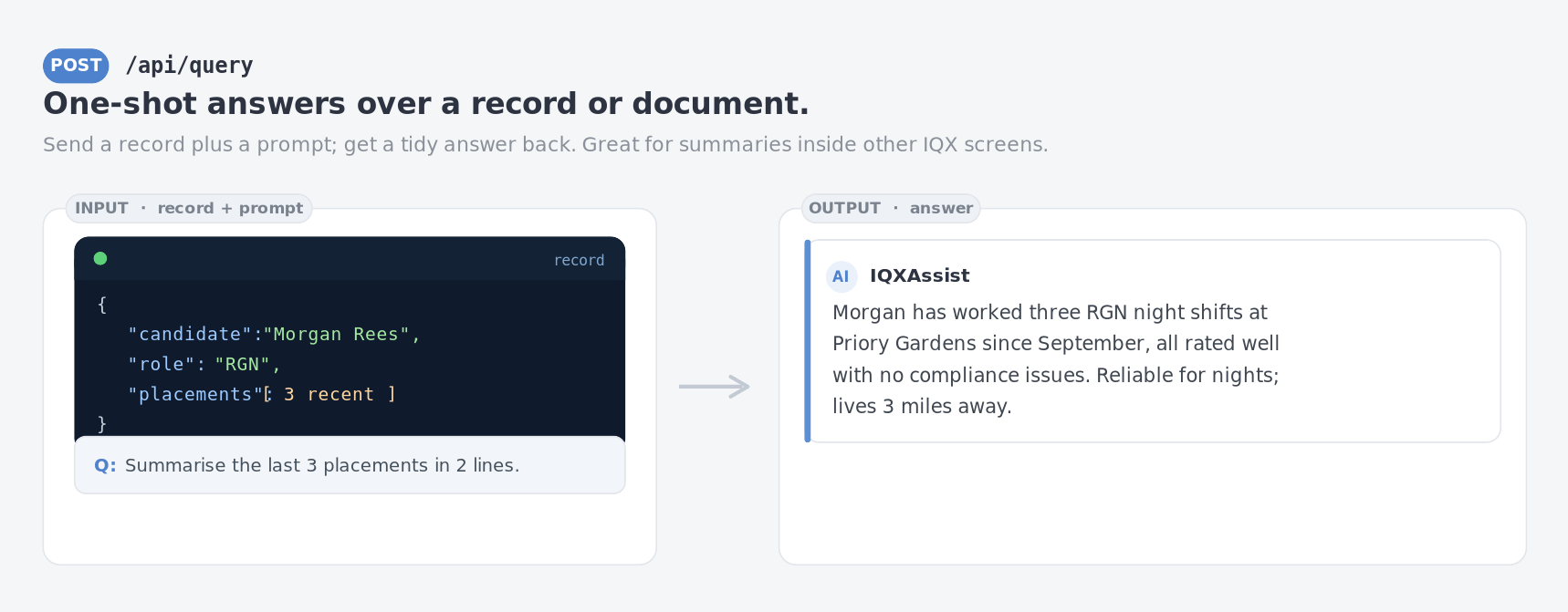
 ===== One-shot answers over a record =====
Send a record (or any document) plus a prompt and get a tidy answer back — great for summaries embedded in other IQX screens.
 ===== Drop-in OpenAI-compatible endpoint =====
Point any OpenAI SDK at
and it just works — streaming and tools included. The gateway picks the model and handles failover underneath. GET /v1/models returns the friendly model list for a picker.
/api/query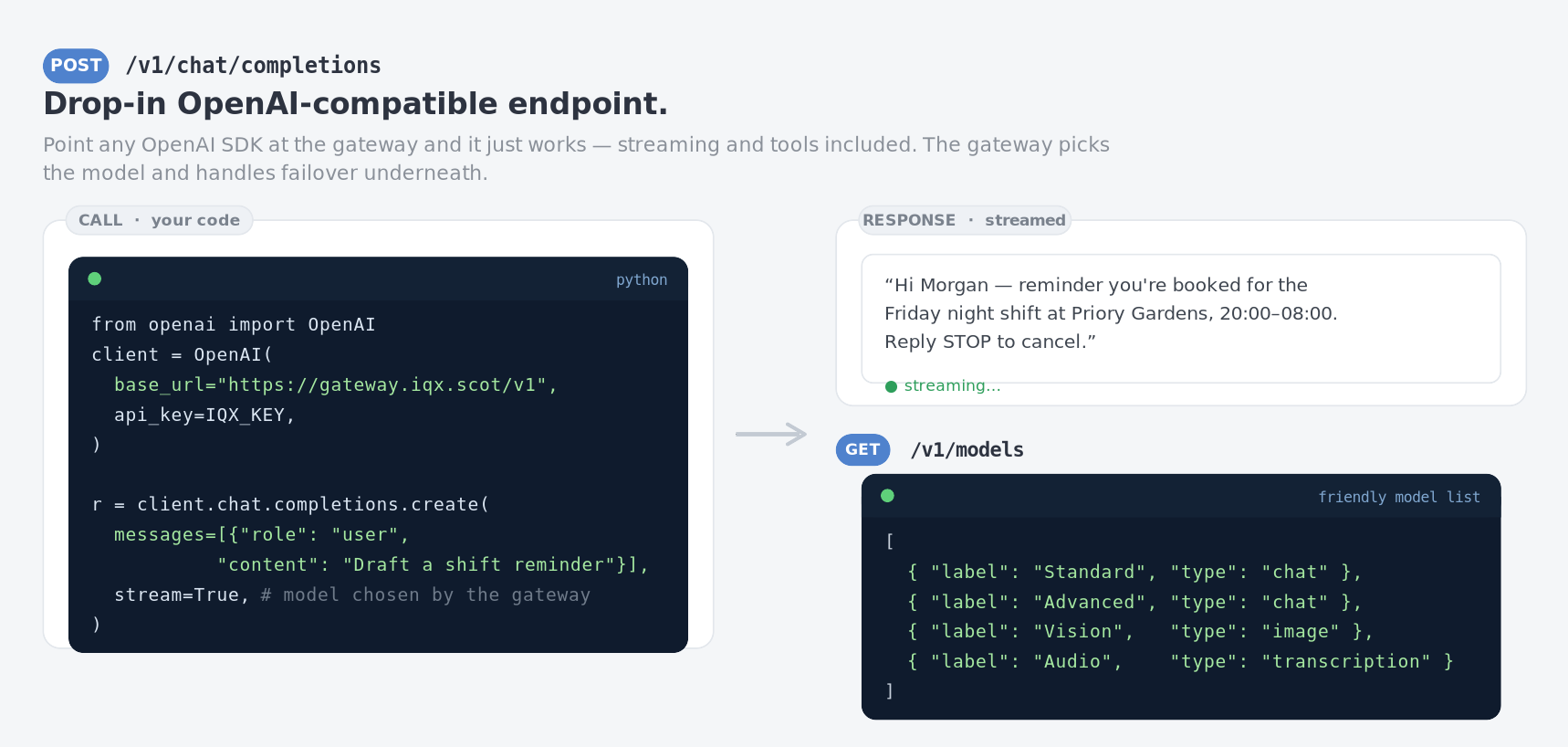 —-
====== Endpoint reference ======
^ Endpoint ^ Method ^ Purpose ^
|
| POST | One-shot text: prompt (+ optional context), returns the completion. |
| /api/cv+Rewrite | POST | Rewrite / tidy CV text to a prompt. |
| /api/cv/reformat | POST | Reformat an uploaded CV (PDF/DOCX) into an HTML template, optional logo. |
| /api/image | POST | Vision — ask a question about an uploaded image, or extract its fields as JSON. |
| /api/extract+Photo | POST | Vision — crop the portrait photo out of an ID image. |
| /api/transcribe | POST | Audio — transcribe an uploaded audio file. |
| /v1/chat/completions | POST | OpenAI-compatible chat. Streaming and tools supported. |
| /v1/models | GET | List the available models (friendly labels) for a model picker. |
| /api/model+Config | GET | The preferred default model for the key (so UIs don't hard-code it). |
| /api/capabilities | GET | The calling key's effective tool capabilities. |
| /api/chat/…'' | — | Stateful chat sessions (new, list, send, stream, rate, export, delete). |—-
====== Getting access ======
Keys, capabilities and spend caps are managed by IQX in the gateway admin. If you need a key for a new service or client, or want a capability enabled, contact the IQX development team.Note: hostnames, key values, names and figures on this page are illustrative. The mockups are representative of the real UI/API, not live screenshots.
 Gareth Johnstone